
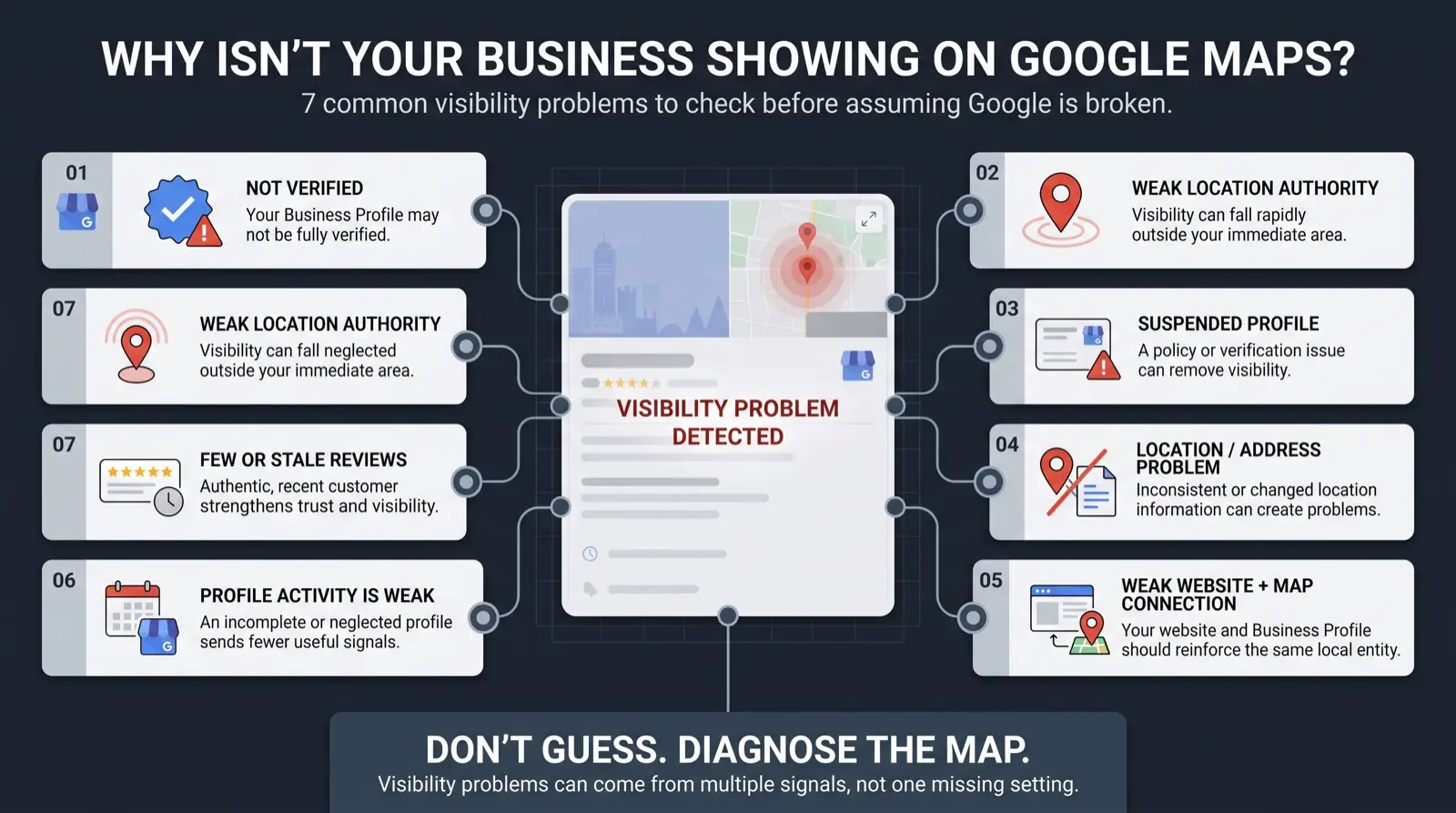
To optimize a Google Business Profile: verify it, set the exact real-world business name, choose the most specific primary category and add relevant secondary ones, fill every service with a short description, set the service area or address correctly, complete attributes and hours including special hours, add real photos regularly, keep the website link pointing at a matching page, and get a steady flow of recent reviews you reply to. Change one thing at a time. Do not add keywords to the name or bake text into photos, both risk suspension.
By the numbers
- Most of the strongest Local Pack signals come from the profile itself, categories, services, attributes and hours chief among them (Whitespark, 2026). INDEPENDENT RESEARCH
- Google uses profile information to understand and represent a business in Search and Maps. GOOGLE DOCUMENTED
- A sustained flow of reviews beats a burst, so a steady stream matters more than a one-time push (BrightLocal, 2026). INDEPENDENT RESEARCH
- Name and address that conflict across sources weaken Google’s confidence and can trigger a policy review. GOOGLE DOCUMENTED
Padded, keyword-stuffed
- Business name has services or a city stuffed into it
- Address does not match the real, verifiable location
- Flagged in review, and suspension resets everything
Clean, accurate profile
- Business name matches the real, legal name, nothing added
- Address is the real, verifiable customer-facing location
- Passes review and stays untouched, which is the actual goal
Illustration only. The padded profile on the right is the one that gets reviewed.
The checklist, in priority order
Nothing else counts until it is verified. Use the method Google offers you (video, phone, email or postcard). An unverified profile can still be edited by the public.
The name field must match your real-world name, the one on your signage and licence. No city, no service list, no “best”. Adding keywords here is the single most common cause of suspension.
Pick the most specific category that describes your core service. “Emergency plumber” beats “plumber” if it fits. Add secondary categories for the other services you genuinely offer, but do not pad the list.
If customers come to you, use the address and make sure it matches your website and top citations exactly. If you go to customers, hide the address and set the service area to the towns you actually serve, not an aspirational radius.
Add each service with a one or two sentence plain description. This feeds relevance for the specific things people search, not just the category.
Set every applicable attribute (24-hour, wheelchair accessible, free estimates, and so on). Set regular hours and special hours for holidays. Wrong hours are a common reason a profile gets reported.
Upload genuine photos of your team, your work and your location. Add new ones regularly; freshness is a signal. Do not bake phone numbers, prices or promo text into the images.
Link to the page that best matches the profile, usually a service or location page, not always the homepage. It should load fast and state the service and area clearly.
Ask every customer, the same way, right after the job. Reply to all of them. A trickle every week beats a burst once a year. The full review guide.
Use Google Business Profile posts for genuine updates: a completed project, a seasonal note, an offer. It keeps the profile active. Empty or spammy posting does nothing.
Mistakes that get a profile suspended
- Keywords in the business name. The number one trigger.
- A virtual office, mailbox or address that disagrees with your other listings.
- A rush of edits in one sitting. Space them out; do one, wait for it to publish, then continue.
- Changing the primary category on a long-established profile without the rest of the profile backing it up.
- Text, phone numbers or prices baked into photos.
If it is already suspended, see the reinstatement sequence. To stay ahead of it, see the early warning signs.
Sources
- Google Business Profile Help, Improve your local ranking on Google: relevance, distance and prominence decide local results; complete and accurate information helps.
- Google Business Profile Help, Guidelines for representing your business on Google: name, address and category rules, and what leads to suspension.
- Whitespark, Local Search Ranking Factors (2026 edition). Proximity of the address to the searcher is the second-highest-scored Local Pack factor (225, behind primary GBP category at 227), and Google Business Profile signals are the largest factor group at 32% of Local Pack weight.
- BrightLocal, Local Consumer Review Survey (2026): review recency and owner responses weigh heavily in consumer choice.
- DataForSEO, Business Listings datasets (2026): profiles with conflicting name, address and phone data across sources show weaker and more volatile local-pack presence.
Guidelines are quoted from Google’s help pages and can change. This is not a guarantee against suspension.